● 完全免費的影像處理軟體,功能齊全媲美商業軟體。
● 介面與操作邏輯神似 Photoshop,使用者能快速上手。
● 輕巧不佔系統資源,舊電腦也能順暢執行影像編輯。
● 筆刷、圖層、濾鏡、透明度調整等專業功能一應俱全。
● 廣泛支援常見圖片格式,甚至包含 Photoshop 專屬 PSD。 Free
Artweaver Free 8.1.4
一個小巧,功能不輸 Photoshop 的影像處理軟體,支援使用帶有觸摸界面的平板電腦。
授權性質:免費
使用限制:個人及非商業使用
介面語言:英文
作業系統:Windows(含Win11)
點閱次數:37,606
下載次數:4,531
檔案大小:17.11 MB
更新時間:2026/7/6 上午4:02:42
官方網站: Boris Eyrich
軟體重點及亮點
軟體簡介
若說起影像處理的軟體,大家應該會先想到 Adobe Photoshop 吧,不過,Adobe Photoshop 可是個商業軟體,而且硬體需求比較高。那麼就來試試這套輕量級的 Artweaver 吧。它就如同 Photoshop 精簡版,不論是操作介面,或是操作方式,與 Photoshop 幾乎沒有差別。但它功能上,可一點兒也不精簡,筆刷、濾鏡、圖層、視覺特效、透明度調…等。支援常見的圖片格式,例如:TIFF、TIF、BMP、PNG、PCX、GIF、JPEG、JPG、JPE、TGA、VDA、ICB、VST 和 AWD ,甚至是 Photoshop 專屬的 PSD。詳細說明介紹
如果,我們有一些照片或圖片需要做處理,你會想用什麼軟體去做處理呢?Photoshop?還是小畫家?
Photoshop 是個商業軟體,而且硬體需求很高,過於老舊的電腦,跑起來鐵定氣喘如牛。至於小畫家,功能實在是太陽春了,相信也很少有人想用它來做影像的處理。
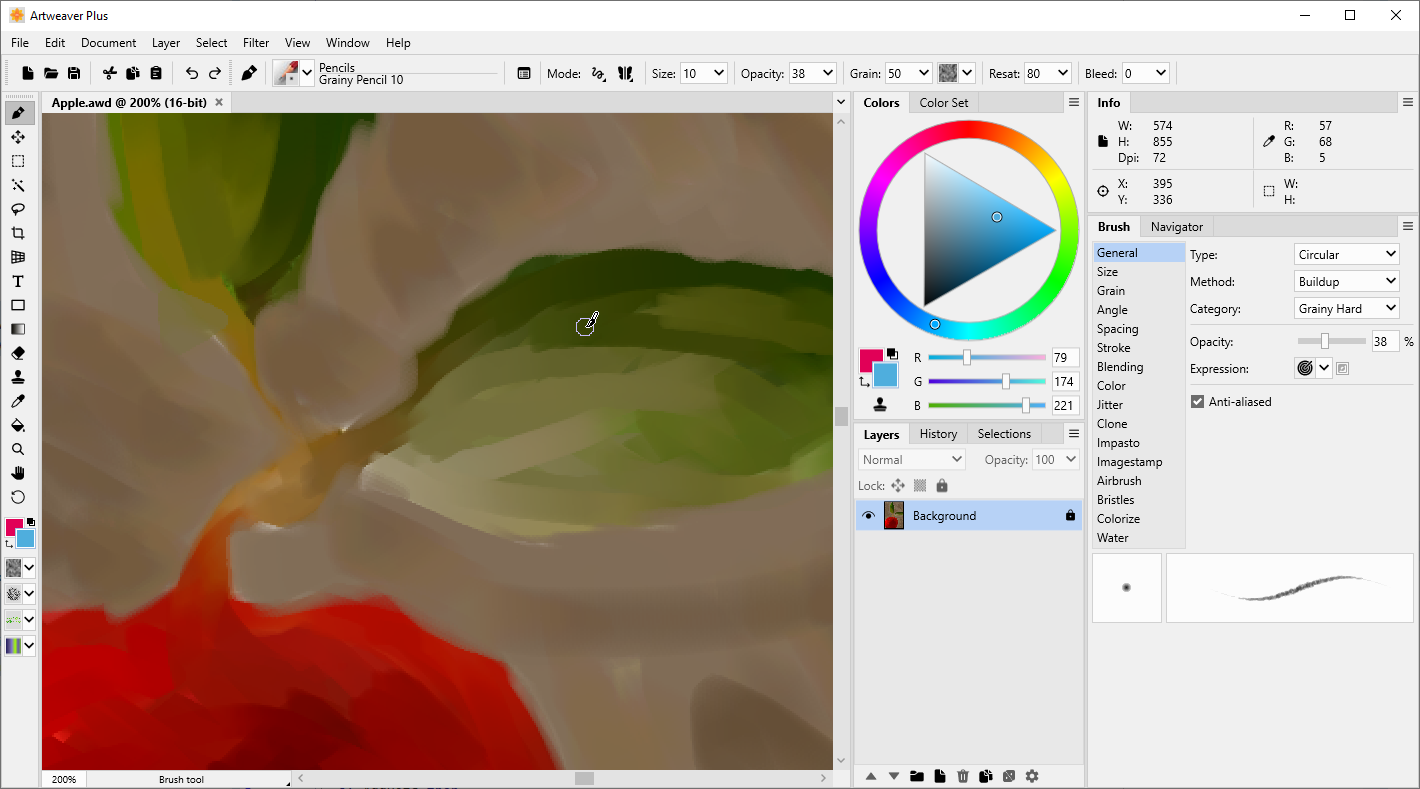
那麼,Artweaver 絕對能滿足大部份人的需求,它擁有著 Photoshop 的操作介面及方式,但卻不需要很高的硬體的需求,在功能上雖不如 Photoshop 的強大,但該有的的功能可說是一應俱全。
基本的功能,例如:翻轉、裁切、選取工具,甚至是筆刷工具、圖層、濾鏡效果、羽化、透明度調整一應俱全,同時支援數種常見的圖片格式,例如:GIF、JPEG、PNG、BMP、TIFF 甚至是 Photoshop 專屬的 PSD。全不因為它是免費軟體,而減少了許多功能或支援度。
它另一令人讚賞的地方,應該就是它那需求不高的電腦硬體配備,不需要很快的 CPU 以及大量的系統記憶體,就能讓 Artweaver 正常運作,且不會覺得遲緩。
但是,它也有不夠完善的部份,例如中文字的輸入。它並非不能輸入中文字,而是不能直接地輸入中文字。欲輸入中文字,必須透過文字工具才能輸入。大致作法如下,點一下「文字工具」,再於上方工具列,點選很像文字的圖示即可。
Artweaver 雖然還不如 Photoshop 那麼地專業,但是,它絕對可以滿足多數人的需求。最棒的是,Artweaver 本身就是一個免費軟體,更支援多語系。
【系統需求】
- Windows 7、Windows 8、Windows 10 或 Windows 11(均帶有最新服務包)
- Pentium 4 相容處理器,1000 MHz 或更高(推薦 1500 MHz)
- 512 MB 記憶體(推薦 1024 MB)
- 100 MB 可用硬碟空間
- 1024x768 像素或更高的顯示器分辨率
- 推薦使用數位板
【功能比較表】
Feature | Artweaver Free | Artweaver Plus |
| Common image editing tools like gradient, crop, fill and selection tools |  | |
| Saving and playback of events | | |
| Protection for event files |  | |
| Connecting to an own team or ArtweaverTeam.com | | |
| Creation of an own local team | | |
| Support for events in AWD file format | | |
| Free arrangeable palettes | | |
| Docking of palettes to the main window | | |
| Support for custom palettes | | |
| Editable menu shortcuts | | |
| Real-time preview for few filters | | |
| Execution of Photoshop compatible filters (*) | | |
| Support for the PSD file format | | |
| Enhanced support for features/properties in the PSD file format | | |
| Many brushes and individual configuration possibilities | | |
| More possibilities to configure brushes individually (brush editor) | | |
| Additional hairy brush and pixel brush type | | |
| Additional colorize and warp brush method | | |
| Maximum supported document size (pixel) | 9999 x 9999 | 24999 x 24999 |
| Maximum brush size (pixel) | 250 | 500 |
| Support for pen tablets | | |
| Enhanced support for pen tablets (eraser and tool ID) | | |
| Many image and effect filters | | |
| Loading and saving of presets in many image filters | | |
| Additional filters like channel mixer, remove red eyes and filter gallery | | |
| Free rotable and dragable canvas | | |
| Virtual memory management | | |
| Configurable virtual memory management | | |
| Support for EXIF meta data in many file formats incl. displaying them | | |
| Support for multi CPU cores in many filters | | |
| Free transformation of selections | | |
如果您覺得此軟體符合您的需求,請點擊下方按鈕前往下載頁面。
立即進入下載頁面軟體截圖參考
該公司的其他軟體
資料讀取中...